

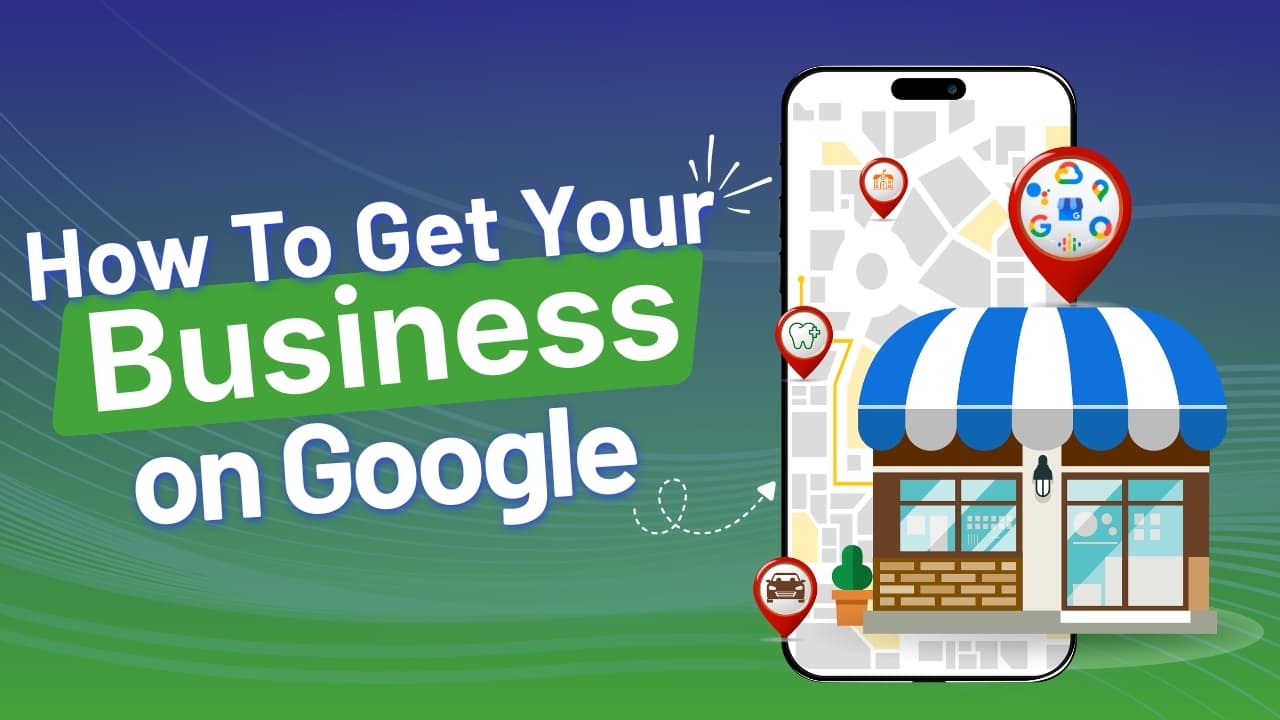
In today’s highly competitive digital sector, it is essential to learn how to get your business on Google is one of the most essential steps that you can take to grow your brand.
When customers search for products or services online, they turn to Google Search and Google Maps first. Whether they type “near me”, search for a specific service, or look up your company name directly, your visibility on Google can determine whether you attract a new customer or lose one to a competitor.
Getting your business on Google is about improving your local SEO, increasing online visibility, driving more website traffic, calls, and foot traffic.
While setting up and optimizing your Google Business Profile, you are required to display your business information, location, business hours, services, photos, and customer reviews at one place. This helps your businesses to appear in local search results, map listings, and voice searches.
When your Google Business Profile is well-optimized then it helps to build trust and credibility. When people see accurate contact details, positive Google reviews, and updated business information, then they are more likely to choose your company.
Additionally, combining Google listing with a strong SEO strategy, and a mobile-friendly website can highly enhance your search engine rankings.
Through this blog, we will walk you through the important steps to set up your business on Google, optimize your business listing, attract more local customers through effective digital marketing and search engine optimization strategies.
Why Being on Google Is Essential
Today, people usually turn to Google when they need a product, service. Whether someone is searching for “best bakery near me,” or a specific company name, their journey of exploring your business begins on Google.
When users search for a service or product, then they usually see three main sections. First section are paid ads at the top of the page that are sponsored listings which businesses pay for through advertising campaigns.
The second section is a map section that features three nearby businesses with important details like ratings, hours, and directions.
Third section, below these sections, users find organic website results and find businesses that rank on the basis of search engine optimization(SEO).
If your business appears in any of these sections, then your business gain
credibility, visibility, and increased traffic as being visible on Google indicates that your business is legitimate, active, and trustworthy.
Also Read: What are the Five Marketing Strategies That Retailers Spend Half of their Annual Budget on
Steps To Create Google Business Profile
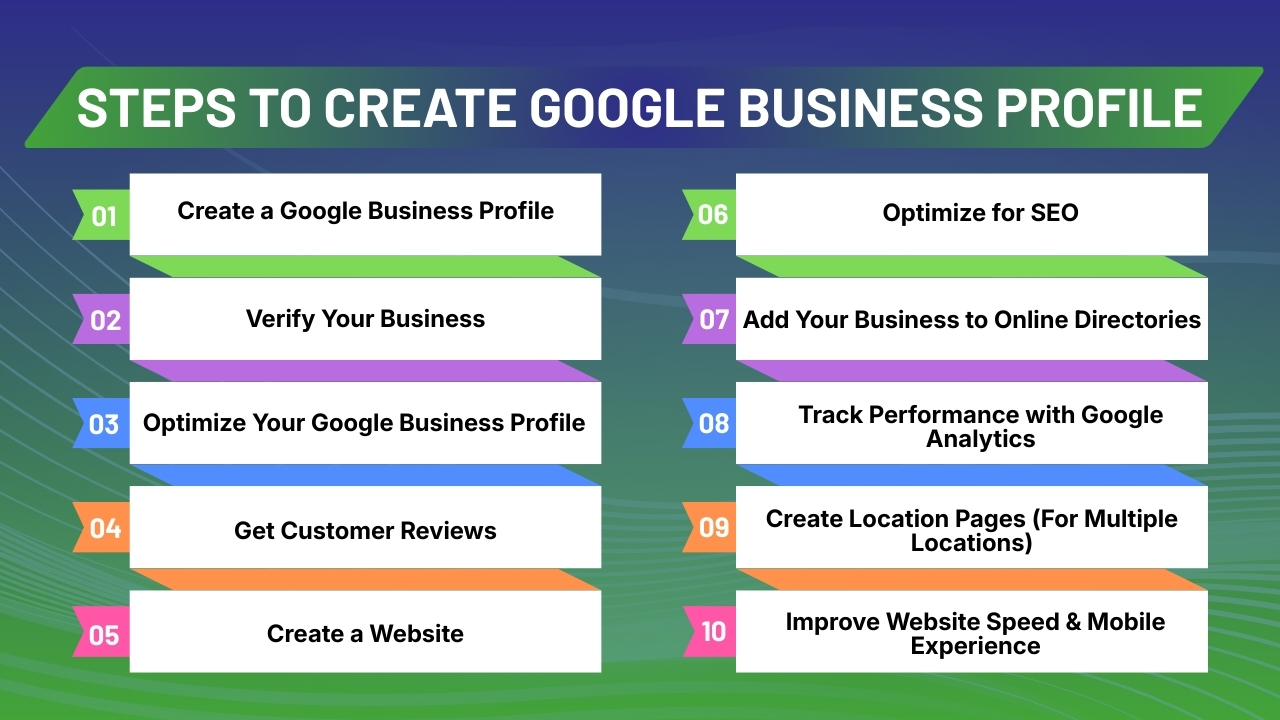
Step 1: Create a Google Business Profile
The first important step for getting your business on Google is creating a Google Business Profile. This free tool allows your company to appear in important Google locations where customers actively search for products and services.
Once your profile is created and verified, your business can appear in:
-
Google Search
-
Google Maps
-
Local “near me” search results
Having a Google Business profile helps to increase online visibility, build trust, and helps potential customers to contact or visit your business early.
What You Need Before Starting
Before your create Google Business profile, prepare the following business information to ensure a smooth setup process:
-
Business Name - Use your official business name without including extra keywords.
-
Physical Address/Service Area - Required for map visibility.
-
Phone Number - Use a consistent business contact number.
-
Website URL - Link to your official website if available.
-
Business Category - Choose the most accurate primary category.
-
Business Hours - Include regular hours and special holiday timings.
-
Logo and Photos - High-quality images of your business improve engagement and credibility.
Keeping these business information ready will help you to complete listing your profile instantly and accurately.
How to Create Your Listing
Follow below instructions step-by-step:
-
Go to google.com or business
-
Sign in with your Google account or create one
-
Click “Manage Now.”
-
Enter your business name exactly as it appears offline
-
Select your primary business category carefully
-
Include your business location or service area
-
Add your contact details, including phone number and website
-
Complete the verification process via postcard, phone, email, or video verification
Once your Google Business Profile verification is done, then your business becomes eligible to appear in local search results that attracts more customers.
Also Read: What is Geo Advertising and Marketing
Step 2: Verify Your Business
Google does verification to confirm that your business is legitimate and is located where you claim your services to be. This step protects customers from fake business listings and ensures that they get the right local search results. Without verification, your Google business profile will not be fully visible to the public.
Google may offer several verification methods depending on your business type and location, including:
-
Postcard by mail (most common method)
-
Phone call verification
-
Email verification
-
Video verification
Google sends a postcard with a unique verification code to your registered business address in 5 to 14 days. Once you enter the unique verification code and complete profile verification, your business profile will become visible to the public in search and map results.
Step 3: Optimize Your Google Business Profile
Creating your Google Business profile is just half of the work. Proper optimization of your Google Business Profile helps your business to get high ranks in Google Search, Google Maps, and local search results.
1. Choose the Right Business Category
Your primary category is one of the important business ranking factors. It tells Google exactly what your business offers.
For instance:
-
Digital Marketing Agency
-
Restaurant
-
Electrician
-
Real Estate Agent
Be highly specific with the business category. For instance, choose “SEO consultant” instead of just “Consultant” that reflects your actual service.
Being specific about your business category improves relevance in search results. You can also use secondary categories if required to cover additional services, but only if they are actually related to your business.
2. Write a Strong Business Description
You get to include 750 characters for a strong business description so use them strategically. Your description should clearly explain:
-
What you do
-
Who you serve
-
Your location
-
Your unique selling points
Use relevant keywords that reflect your service, but also avoid keyword stuffing.
3. Add High-Quality Photos
Businesses that add high-quality photos of their products and services usually get more clicks and engagement from customers. So ensure you upload:
-
Logo
-
Cover photo
-
Interior photos
-
Exterior photos
-
Team photos
-
Product photos
Update images regularly to keep your business listing fresh and active.
4. Add Accurate Business Hours
Keep your business hours updated at all times. Add special holiday hours to avoid confusion. Incorrect business hours can lead to negative reviews and reduced trust.
5. Add Services and Products
Use the “Services” section to list every product that you offer, such as:
- Website design
- SEO services
- Social media marketing
- App development
It helps to increase keyword visibility and enables customers to instantly understand about your products and services.
Also Read: Digital Marketing Strategy for Local Businesses
Step 4: Get Customer Reviews
Customer reviews are essential for improving your Google visibility, local rankings, click-through rates, and influence customer buying decisions. Positive customer reviews help to increase credibility, trust, and encourage your potential customers to select your business over competitors.
How to Get More Reviews
-
Ask satisfied customers to leave reviews immediately after a service or sale.
-
Add a review link on your website and social media pages.
Ensure that it is easy for your customers to leave reviews for your products or services. The easier it is for customers to leave a review, the more reviews your business will receive.
How to Respond to Reviews
It is essential that you respond to every review that you receive, whether positive or negative. When customers leave a positive review, thank the customer sincerely and also invite those customers to return.
While if you receive negative reviews, remain calm and be professional, make apologies politely and provide a solution to resolve an issue offline. b
Also Read: Geo Advertising Vs Traditional Marketing
Step 5: Create a Website
Though a Google Business Profile helps customers to find your business, having a website helps to build trust and enhances your online visibility. By creating a website of your business, you get more control over branding, content, and also enhance SEO rankings.
Use platforms like WordPress, Shopify, based on your website requirements or hire a developer to develop a fully customized website.
Make sure that your website clearly shows important information like business name, address, phone number, services, an About page, and a Contact page.
Step 6: Optimize for SEO
SEO(Search Engine Optimization) helps your website rank in organic Google results. SEO helps to bring free, consistent traffic over time. Local SEO is essential for local businesses as it helps your business to appear when local customers search for similar services in your area.
Primarily use local keywords by adding your city or area name, such as “interior designer in Ahmedabad,” in page titles, H1/H2 headings, service pages, About content, and FAQs.
Then, improve visibility on Google Maps by completing your Google Business Profile, uploading high-quality photos, updating business hours, and responding to reviews regularly. Consistent activity on your Business profile shows that your website is trustworthy to Google
indicates that your website is trustworthy to Google.
Next, maintain NAP consistency like your Name, Address, and Phone number consistently across your website, Google profile, social media, and directories. Even if there is a small mismatch then it can impact Google rankings.
Step 7: Add Your Business to Online Directories
Your business will be considered more credible by Google when they are consistently listed across multiple trusted online directories.These listings help your business to strengthen local SEO authority and indicate that your company is legitimate, active, and reliable.
When your business information appears on reputable platforms, then the trust of both Google and potential customers will increase. Ensure that you list your business on popular directories like Justdial, IndiaMART, and Facebook Business Page.
Step 8: Track Performance with Google Analytics
To know whether Google and SEO efforts are working, it is essential to track actual results. With Google Analytics you can track essential website performance data that helps you to make smarter marketing decisions instead of simply guessing.
It helps you know how people find your site, what they do once they are on your website, and which sales leads to sales or inquiries.
Google Analytics enables you to track website visitors, identify traffic sources, or measure conversions like purchases, or learn about user behavior like page visits and time spent on your website.
Combining Google Analytics with Google Search Console helps to track keyword rankings, search impressions, and click-through rates that enhances SEO and website visibility.
Step 9: Create Location Pages (For Multiple Locations)
If your business operates in multiple cities, then create location pages for each area instead of listing all locations on one page.
Ensure that you use separate URLS for each location like example.com/ bangalore, example.com/pune, or example.com/delhi. This helps search engines to know your presence in each city and improves your chances to rank in local search results.
Each location page should have unique content specific to that location, local photos of that location, city-specific keywords in heading and content, and accurate contact details for each location.
Step 10: Improve Website Speed & Mobile Experience
Google prioritizes websites with high loading speed, operates smoothly on mobile devices, and offers secure browsing through HTTPS.
Because if your website is slow or not mobile-friendly, then visitors might get frustrated and leave your page within seconds that lead to increased bounce rates and lower rankings.
Google ranks high on those websites with fast-loading pages, responsive designs adaptable to mobile devices, and secure websites that secure user data.
Use tools like Google PageSpeed Insights to assess performance and know about improvement opportunities.Compress images, enable browser caching, minimize unnecessary scripts, and choose reliable hosting to enhance speed. A fast, secure, mobile-optimized website not just improves SEO but also improves engagement and conversions.
Conclusion
Getting your business on Google is not an optional step, instead it is essential for ensuring growth in today's highly competitive digital environment. Google is usually the first place where customers usually search for products or services.
By creating and optimizing your Google Business Profile, it becomes easier for potential customers to find your business in Google Search, Google Maps, and local search results.
However, simply creating a Google profile is not enough. Further you require to optimize every detail. Choose the right business category, add high-quality photos, capture customer reviews, and keep your business information updated.
By building a website, maintaining consistent name,address, and phone number, using local keywords, and adding your business to online directories further improves your local SEO.
If you require faster results, Google Ads helps you to attain instant visibility while your organic rankings increase with time.
Consistency, accuracy, and engagement are essential factors for achieving long-term success. By staying active and consistently improving your online presence, you can increase business visibility, trust, and attract more customers.
When done correctly, Google becomes one of the most powerful tools for driving traffic, leads, and sustainable business growth. If you still have any query with how to get your business on Google then you may book a free demo at bloggyhands and we are more than happy to assist you.
John Doe
Digital Marketing Expert
Passionate about creating valuable content that helps businesses grow through digital marketing and innovative strategies.